Agent UI theming
There are two primary user interfaces for agents:
-
The Agent Desk
-
The Single Conversation Desk
General agent UI theming
The configuration properties in the sections below affect both the Agent Desk and the Single Conversation Desk.
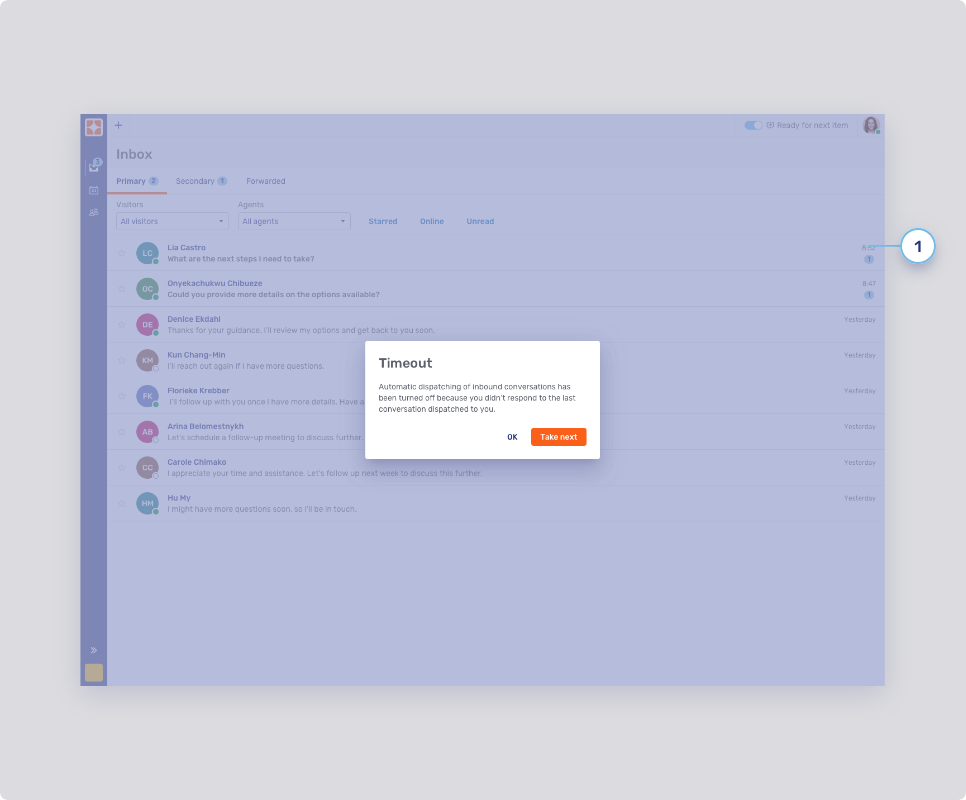
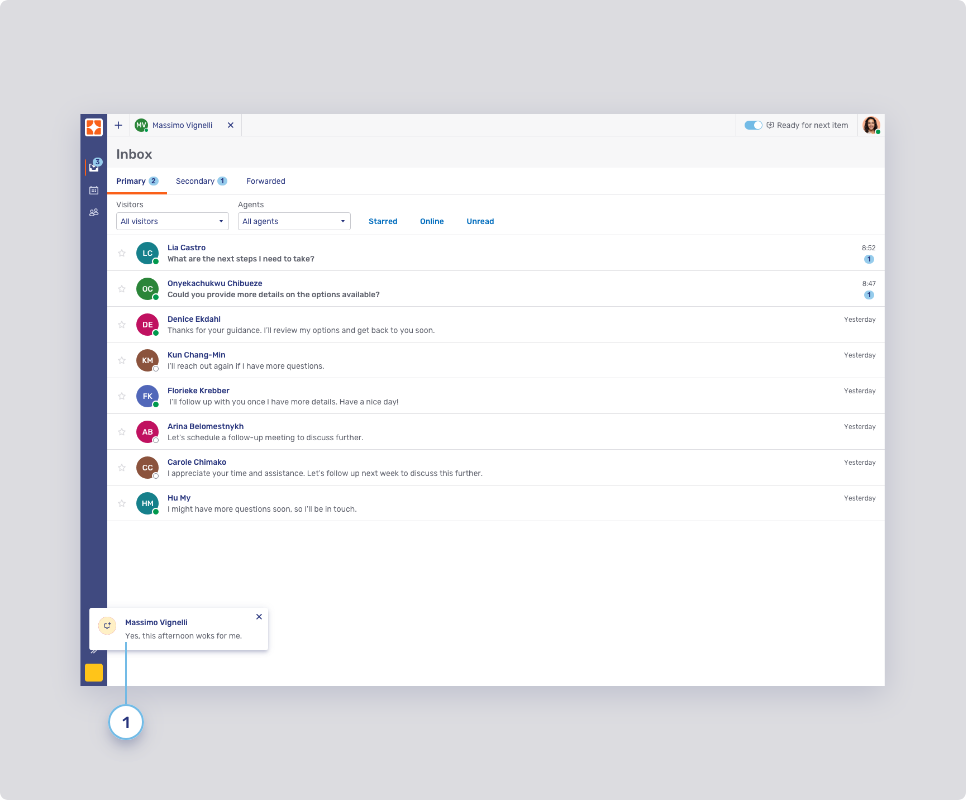
Notification toasts
-
Notification toasts
-
Destination
-
Alignment
-
Timeout
-
Maximum number
-
Request icons
The icons on notification toasts are the same as the ones used in the queue; refer to Request icons below. For information on replacing icons, refer to Enterprise UX Kit.
-
Colors
-
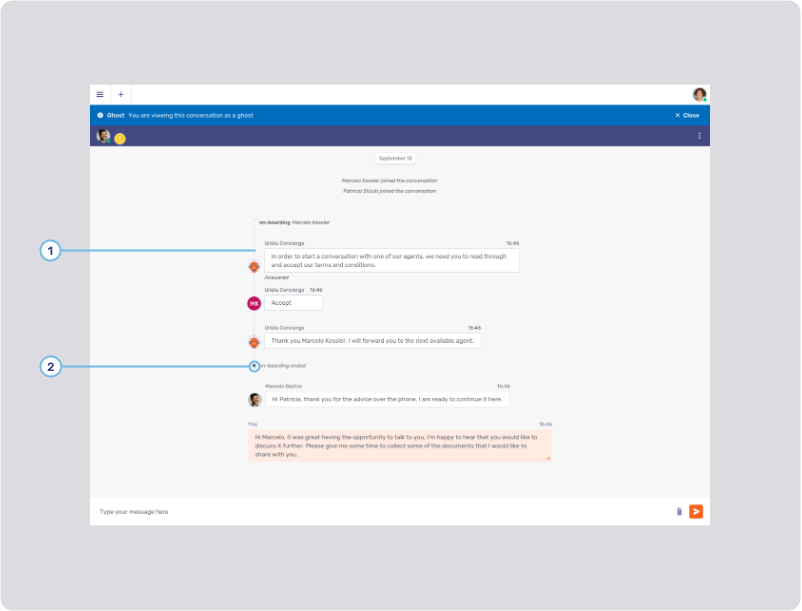
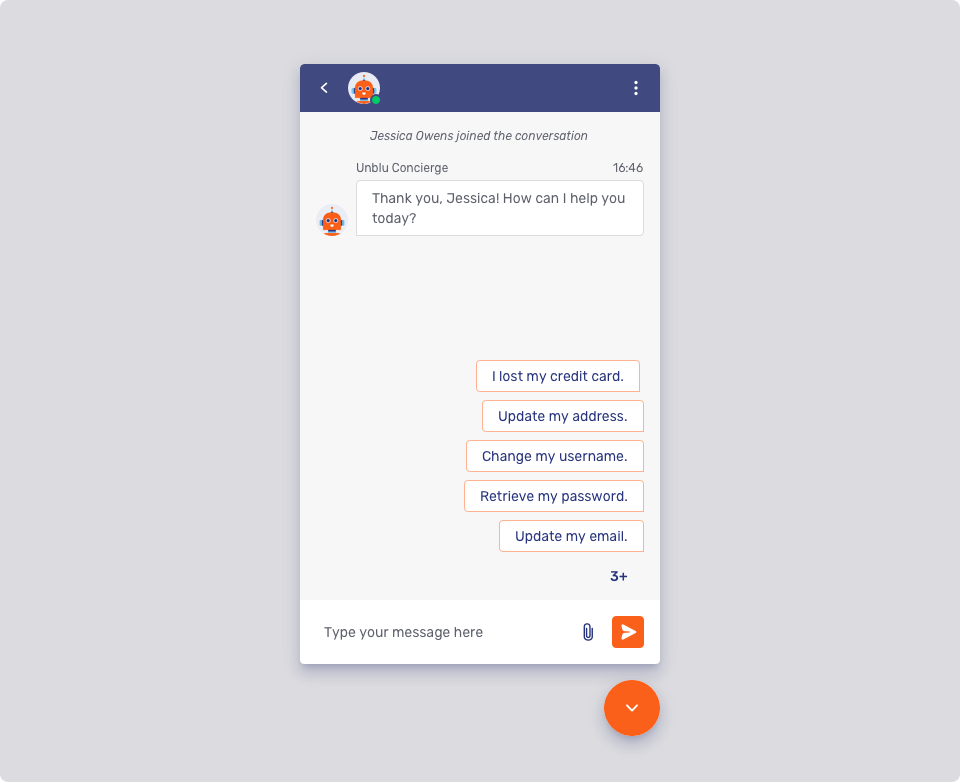
Bot threads
-
Bot thread line
-
Bot thread line width: com.unblu.conversation.messaging.ui.botThreadLineWidth
-
Bot thread line color: com.unblu.conversation.messaging.ui.colorBotThreadLine
-
-
Bot thread status icon color
Agent collaboration space
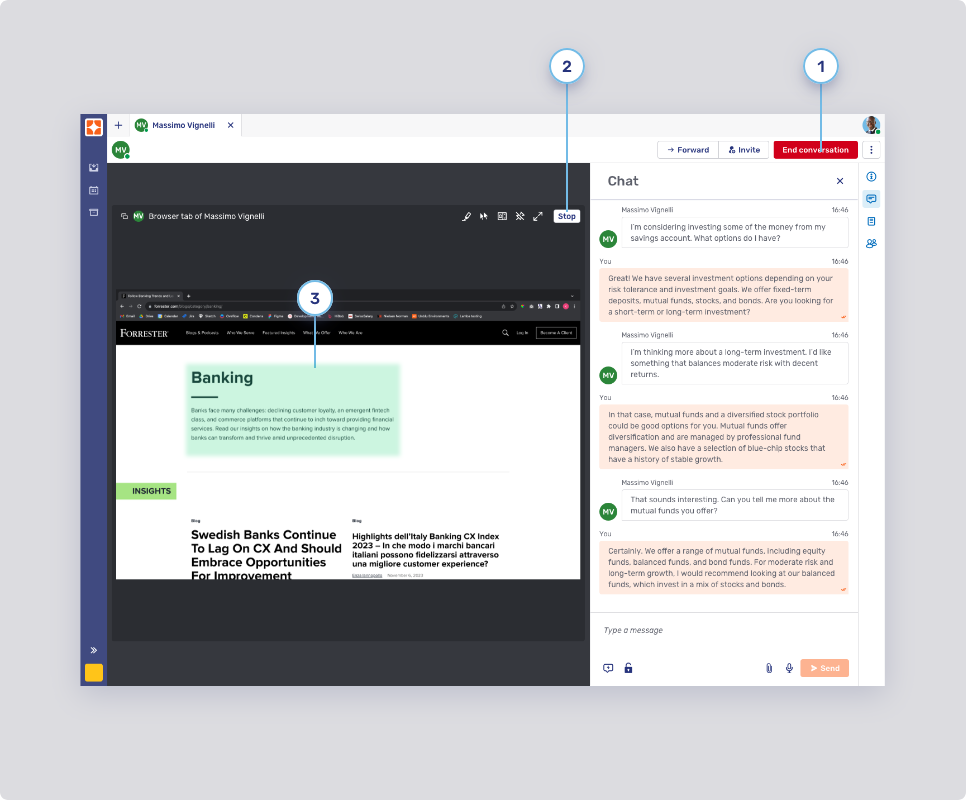
Critical action button, flat inverted button, and marker color area
-
Critical primary button
-
Background states
-
Border width
-
Border states
-
Foreground
-
-
Critical secondary button
-
Background states
-
Border width
-
Border states
-
Foreground
-
-
Marker area color
Agent Desk
The configuration properties below only affect the Agent Desk.
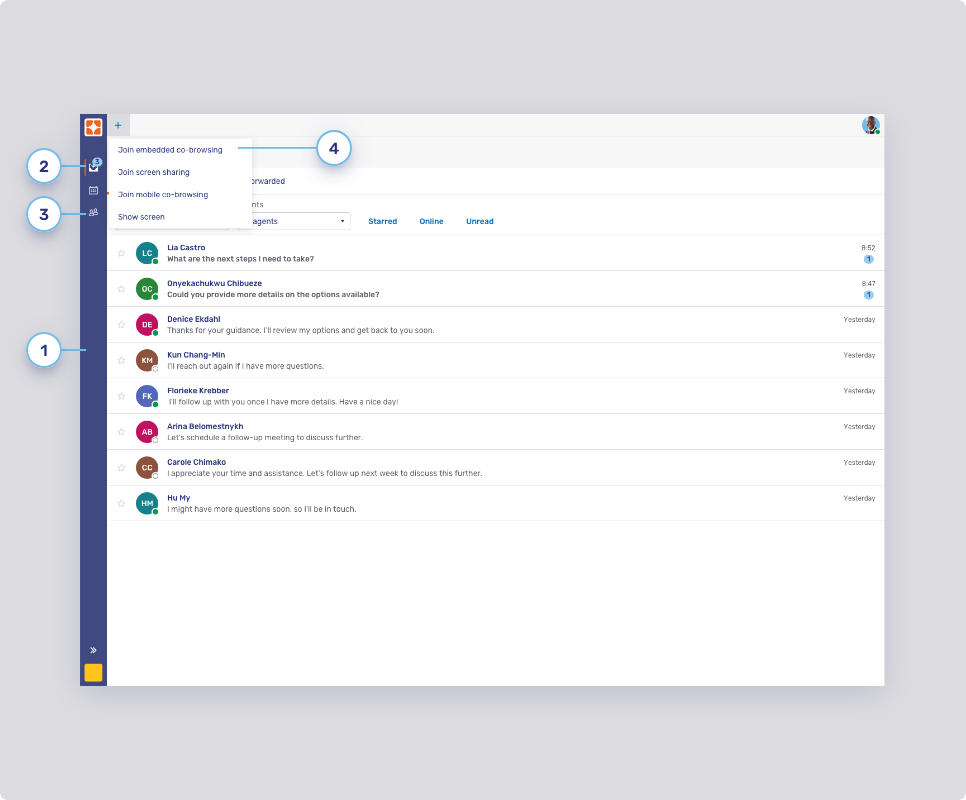
Sidebar
-
Background color
-
Active highlight
-
Navigation buttons
-
Background states
-
Text states
-
Border width and radius
-
Border states
-
-
Dropdown select elements
The configuration properties below are used for the plus menu
 , the user menu and the overflow menu
  in the control bar.
-
Background states
-
Border width
-
Border states
-
Foreground states
-
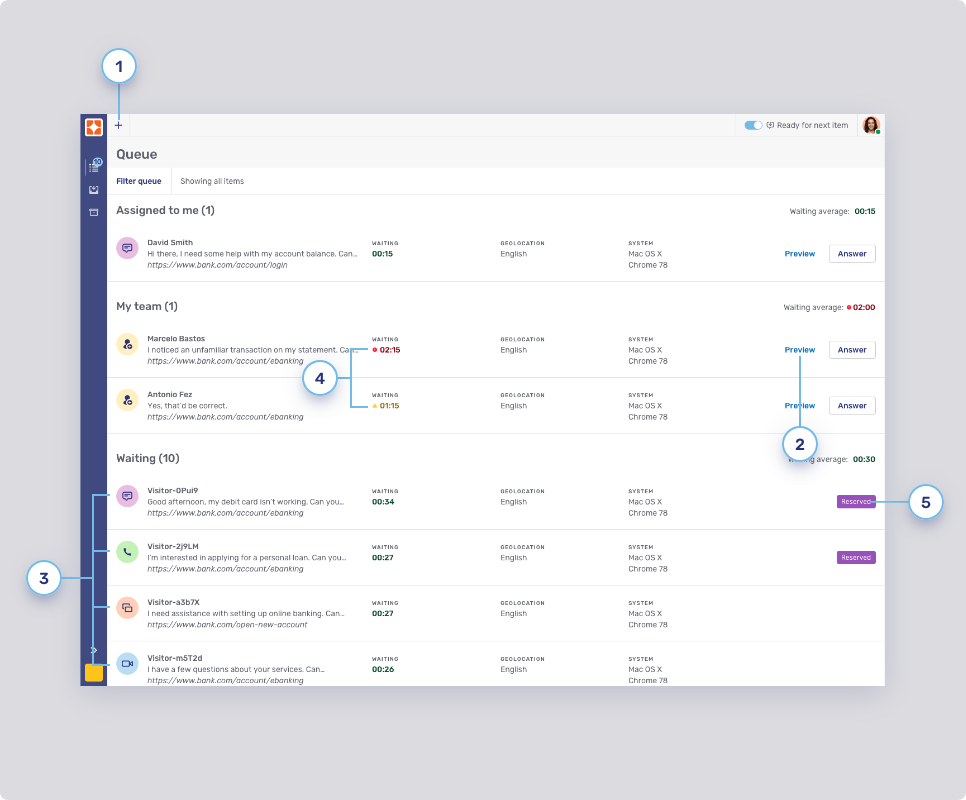
Queue
-
Top bar button
-
Background states
-
Border states
-
Foreground
-
-
Flat primary button style
Refer to Flat primary and secondary buttons for other buttons theming.
-
You can define the background color of the request icons separately from the icons themselves:
-
Audio call: com.unblu.queue.ui.audioCallIconBackground
-
Co-browsing: com.unblu.queue.ui.cobrowsingIconBackground
-
External messenger: com.unblu.queue.ui.externalMessengerIconBackground
-
Forwarding: com.unblu.queue.ui.agentForwardingIconBackground
-
Invitation: com.unblu.queue.ui.agentInvitationIconBackground
-
Video call: com.unblu.queue.ui.videoCallIconBackground
The same icons and colors are used on the notification toasts for incoming requests. For information on replacing icons, refer to Enterprise UX Kit.
-
-
Icon display
-
Reserved badge
-
Background color: com.unblu.queue.ui.queueItemReservedLabelBackground
-
Inbox
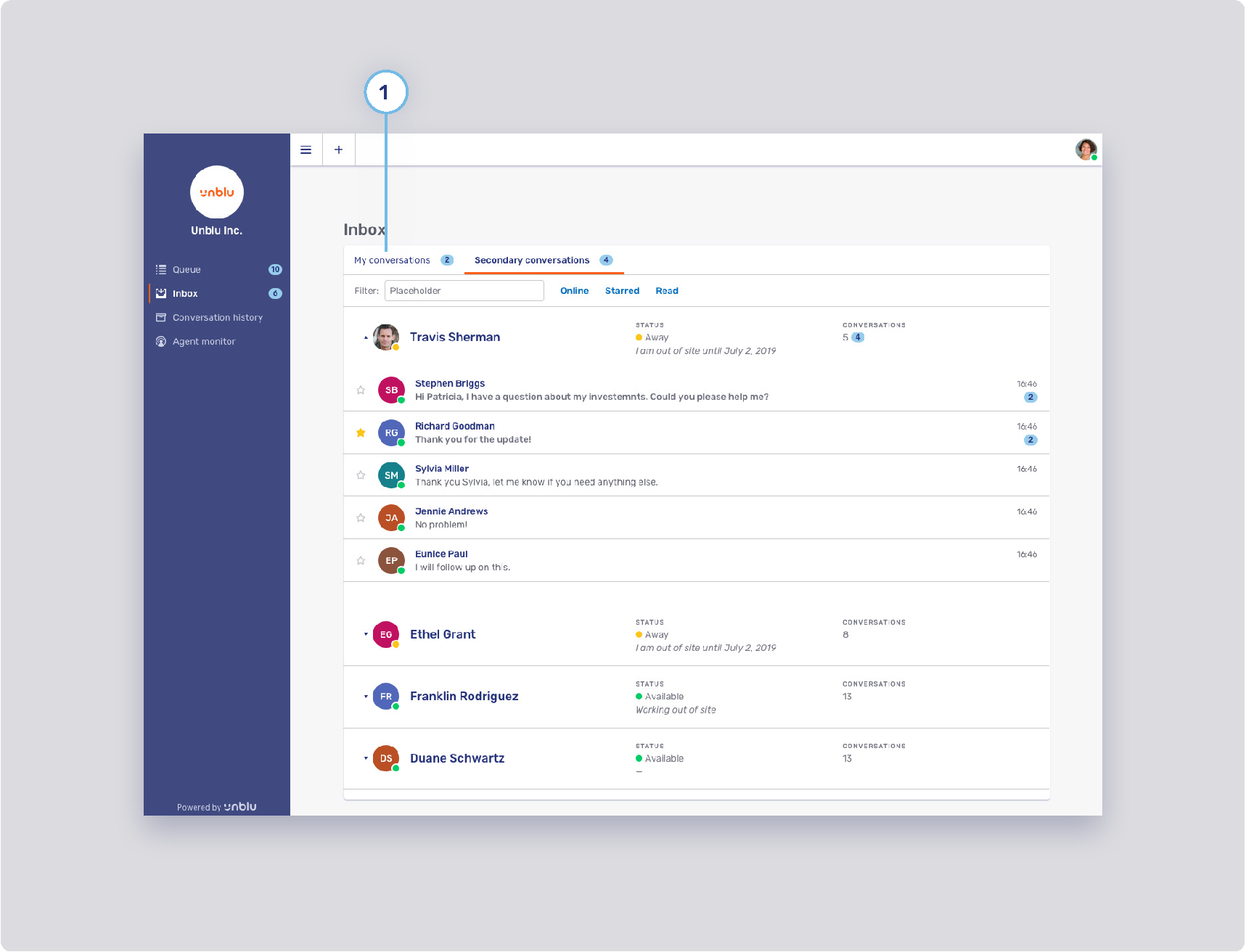
-
Conversation tab style
-
Background states
-
Border width
-
Border states
-
Foreground states
-
Notification badge
-